AI Outfit Previews: How to Compare Style Ideas
Learn what an AI outfit preview can show, how to compare a before-and-after example, and what to check before turning an image into a wardrobe decision.
What is an AI outfit preview?
An AI outfit preview is a visual suggestion for clothing and colors. Compare it with the original photo, then test the idea with real clothes. It cannot establish garment fit, comfort, availability or how another person will judge your appearance.
1. Start with an authorized adult photo
Use one consenting adult, an unobstructed face and enough of the outfit to compare it. Prefer even light and a relaxed pose. Avoid other people, identity documents or unnecessary private details in the background. Google sign-in does not provide the photo for you.
2. Choose a direction for a real occasion
Old Money, Clean Look, Streetwear and Korean-inspired styling are exploration labels, not rules about age, identity or which bodies belong in a style. Choose a direction for a concrete situation: work, a relaxed weekend or an evening with friends.
3. Compare specific changes, not your attractiveness
Read the original and styled image together. Look at layers, neckline, trouser silhouette and repeated colors. In the Old Money example below, a dark casual tee and jeans become a navy knit over a cream collar with beige trousers. The useful takeaway is the combination of layers and contrast, not a claim that one person is more attractive.
A fictional before-and-after example
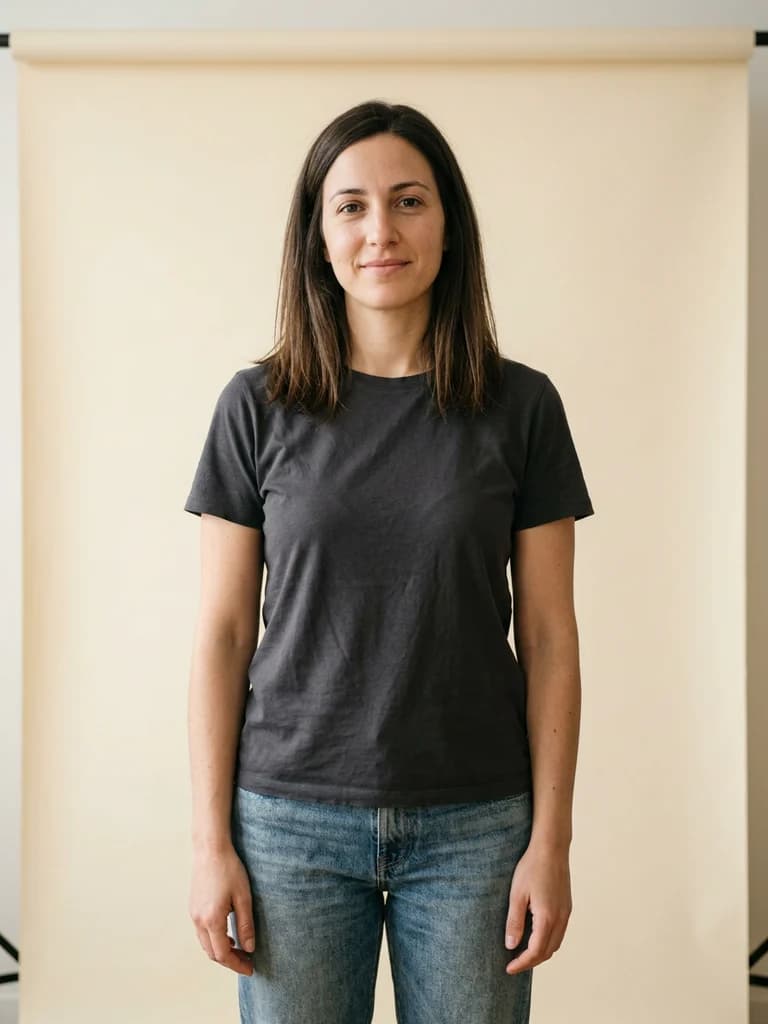

AI-generated fictional adult · styling demonstration, not a customer result
4. Check where the AI may be wrong
Check the face, hands, garment edges, closures and fabric patterns. A convincing image can still contain an impossible seam or a changed feature. Do not infer an exact clothing size, fabric feel, product brand or body measurement from the preview. Reject an image that changes identity or makes you uncomfortable.
5. Try one change with clothes you already own
Recreate one part of the idea: add a light collar under a dark top, test a different trouser cut or repeat a neutral color. Take another photo in similar light and compare comfort and usefulness in your own setting before buying anything.
6. Understand the example and the service limits
The examples on this site are AI-generated fictional adults, not customer results. LookRefine currently focuses on clothing visualization; standalone hairstyle simulation and real-person quality evaluation are not yet completed. Check service availability before uploading, and read the photo privacy and deletion policy.